Free Unity 2021.2 Project: VRoid Crossfade Shader (ReForge Mode)
Original title: Unity Shader Graph for Beginners: Crossfade Transition VRoid (FREE Project Download)
Overview
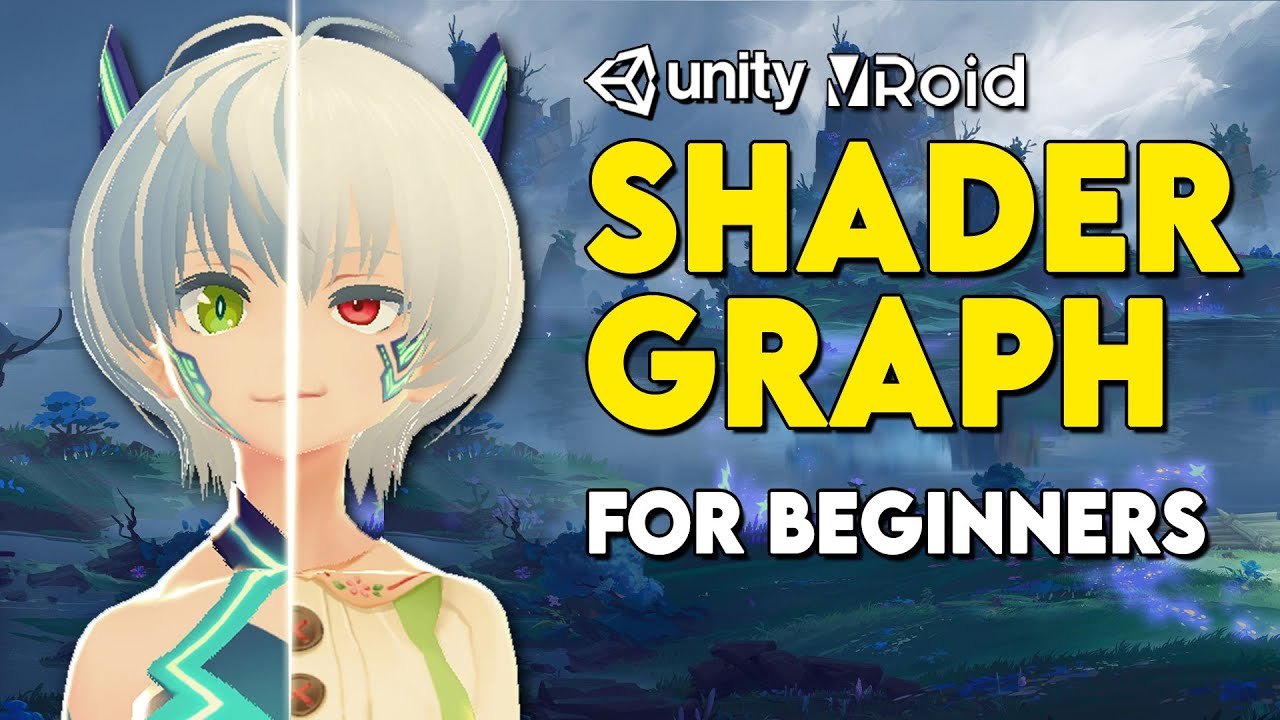
This Shader Graph beginner project from ReForge Mode - Unity Tutorials applies texture transitions to a VRoid character imported with UniVRM and the MToon shader, built in Unity 2021.2. It builds crossfade and dithered texture-transition shaders, animates the transition value and swaps between three textures on the character, so you can see the effect on a real model.
The GitHub repository contains both 'Before Tutorial' and 'After Tutorial' project folders with Assets and ProjectSettings, and the README allows commercial use. A friendly entry point for VRoid users who want to start with Shader Graph on their own characters.
What You Can Learn
- Crossfade and dithered texture-transition shaders
- Animating a transition value and swapping three textures
- Shader Graph on a VRoid (UniVRM/MToon) character
Access: Free direct download